




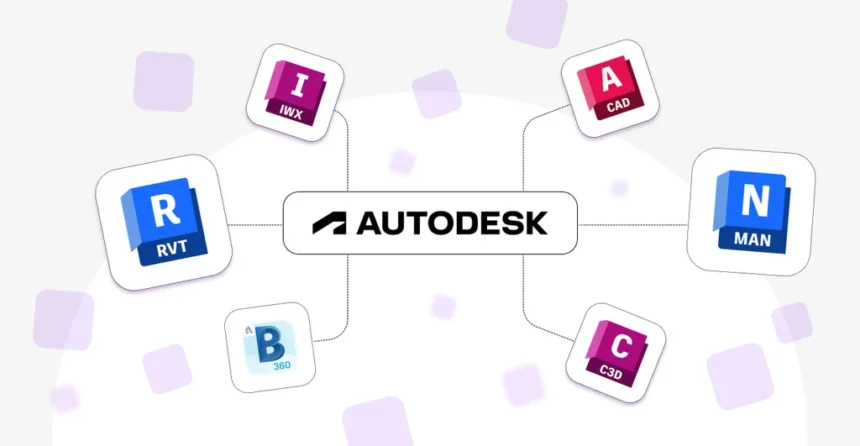
In today’s digital world, technology has transformed how we design buildings, develop products, create animations, and bring new ideas to life. Autodesk is one of the well-known names behind this transformation, offering professional software that helps individuals and businesses turn concepts into practical designs. Whether you are an architect, engineer, product designer, or digital artist, exploring the right Autodesk products can help you find tools suited to your work.
- What Is Autodesk?
- Popular Autodesk Products You Should Know
- 1. AutoCAD: Professional 2D and 3D Design
- 2. Revit: Building Information Modelling
- 3. Fusion: Product Design and Manufacturing
- 4. Maya and 3ds Max: 3D Design and Animation
- How to Choose the Right Autodesk Software
- Where Can You Explore Autodesk Products?
- Final Thoughts
What Is Autodesk?
Autodesk is a software company that develops design and engineering tools for industries such as architecture, construction, manufacturing, and media and entertainment. Its software helps professionals create technical drawings, develop 3D models, coordinate projects, and produce realistic visualisations.
From planning a residential building to designing a mechanical component or creating animated characters, Autodesk provides solutions for different stages of the creative and development process.
Popular Autodesk Products You Should Know
1. AutoCAD: Professional 2D and 3D Design
AutoCAD is among Autodesk’s best-known products. It is widely used by architects, engineers, and designers to prepare accurate technical drawings and detailed design documentation. Its capabilities support both 2D drafting and 3D modelling.
AutoCAD can be useful for floor plans, mechanical drawings, construction layouts, and other technical projects. For users who primarily need 2D drafting tools, AutoCAD LT offers a more focused alternative.
2. Revit: Building Information Modelling
Revit is designed for professionals working in architecture, structural engineering, and building services. It uses Building Information Modelling (BIM) to help teams create coordinated digital building models.
Instead of treating every drawing as a separate file, Revit connects different views and project information within a shared model. This approach can improve coordination, simplify design changes, and help teams identify potential issues earlier.
3. Fusion: Product Design and Manufacturing
Autodesk Fusion brings together tools for product design, engineering, simulation, and manufacturing workflows. It helps designers develop digital prototypes and refine product ideas before moving towards production.
It can be particularly useful for product developers, engineers, and smaller manufacturing businesses looking to connect design activities with practical production requirements.
4. Maya and 3ds Max: 3D Design and Animation
For creative professionals, Autodesk offers powerful tools such as Maya and 3ds Max. Maya supports 3D modelling, animation, and visual effects for film, television, and games. Meanwhile, 3ds Max is widely used for 3D modelling, animation, and visualisation, including architectural presentations.
These applications help artists create detailed environments, realistic objects, animated characters, and visually engaging digital experiences.
How to Choose the Right Autodesk Software
The best software depends on your goals, experience, and industry. Architects and building professionals may benefit from Revit, while technical drafters often choose AutoCAD. Product designers can explore Fusion, and animation professionals may prefer Maya or 3ds Max.
Before purchasing a subscription, consider the features you actually need, your computer’s capabilities, and how the software fits into your existing workflow. Autodesk also provides product trials and educational access for eligible users, making it easier to explore suitable options.
Where Can You Explore Autodesk Products?
You can browse available applications, compare features, check subscription options, and explore solutions for different industries through the official Autodesk website.
Visit the Autodesk Products page to discover the available software and find an option that matches your requirements.
Final Thoughts
Autodesk offers a broad range of software for professionals who design, build, manufacture, and create digital content. Choosing the right application can make everyday tasks more organised, improve collaboration, and support better project outcomes. By understanding what each tool offers, you can make a more informed decision and invest in software that supports your professional goals.